


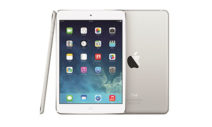













Having your iPad Repaired
Our Phone Ninjas have been training hard, just to help you. So if you’re after a repair, call us or drop into our stores in Perth, West Australia.
-

On The Spot
Repairs -

Perth Price Beat
Guarantee -

3 Months
Warranty
| All prices include parts, labour and GST | Price |
|---|---|
| iPad 1 Repair Service (A1337 Wi-Fi + 3G / A1219 Wi-Fi) | |
| iPad 2 Repair Prices ( A1395 / A1396 / A1397 ) | |
| iPad 3 Repair Prices (A1430/ A1403 / A1416 / iPad 3) | |
| iPad 4 Repair Prices (A1459 / A1458 / A1460 / iPad with Retina Display) | |
| iPad Air Repair Prices (A1474 / A1475) | |
| iPad Air 2 Repair Prices (A1566 / A1567) | |
| iPad Air 3 Repair Prices (A2152, A2123, A2153, A2154) | |
| iPad Air 4 Repair Prices (A2316 / A2324 / A2335 / A2072) |
$RING
|
| iPad 5 Repair Prices (iPad 2017 A1822 / A1823 ) | |
| iPad 6 Repair Prices (iPad 2018 A1893 / A1954 ) | |
| iPad 7 Repair Prices (2019 10.2″ A2197 / A2200 / A2198) | |
| iPad 8 Repair Prices (2020 10.2″ A2270 / A2428 / A2429) | |
| iPad 9 Repair Prices (2021 10.2″ A2602 / A2604 / A2603) | |
| iPad 10 Repair Prices (2022 10.9″ A2696 / A2757) |
$RING
|
| iPad Mini Repair Prices ( A1454 / A1455 / A1432 ) | |
| iPad Mini with Retina Display Repair Prices (A1489 / 1490 / iPad Mini 2) | |
| iPad Mini 3 Repair Prices ( A1599 / A1600) | |
| iPad Mini 4 Repair Prices ( A1538 / A1550) | |
| iPad Mini 5 Repair Prices ( A2133, A2124, A2126, A2125) | |
| iPad Mini 6 Repair Prices ( A2567, A2568, A2569) |
$RING
|
| iPad Pro Repair Prices |
iPad Touch Screen Repair
We perform touch screen replacements for many of our customers. Generally, when dropped, the glass will smash leaving the iPad Digitizer shattered into pieces. Sometimes the touch screen will continue to function, but sometimes you won’t be so lucky. Thankfully this problem is easily fixed by replacing the digitiser screen, however if your picture no longer works then you may require a LCD replacement.
iPad LCD Replacement
A broken LCD is no problem for a Phone Ninja Technician. Most common symptoms include no display, a white screen, lines in the screen, dullness, or dead pixels. Sadly, if you have smashed the glass screen and have any of the symptoms listed above, then you may need to the replace the whole screen.
iPad Water Damage & Other Repairs
Water damage can be minimized by acting quickly. Firstly, turn off the device, dry it with a towel, and bring the gadget into us, and make sure you don’t charge it! Additional services we provide include battery replacements, not turning on issues, button problems, camera problems, and of course much, much more.
Apple’s Tablet Technical Specifications
Despite popular belief, Apple actually entered the tablet market in 1993 with the Newton MessagePad 100. A handful of successors followed before the line was discontinued in 1998. On April 3rd, 2010 they decided to try again, incorporating the tablet with the familiar iPhone interface. Despite being labelled as an oversized iPhone by many, Apple’s tablet sold 15 million units even before it’s successors launch.
Little over a year later the iPad 2 surfaced delivering more of the same, but with a dual-core Apple A5 processor, a 33% slimmer profile, a 10-hour battery life, and weighing in at 15% lighter on the scales. Apple later introduced the iPad Air, iPad Mini, and iPad Pro series.